Search for "best Vegas Pro templates" and most of what comes back is the same handful of download buttons reshuffled across a dozen near-identical sites, tag clouds stuffed with unrelated keywords, or After Effects packs relabeled as if timeline-based and layer-based editing were interchangeable. None of it tells you what actually makes one .veg file better than another.
We've been building templates for Vegas Pro exclusively since 2009 - through seventeen years of version changes, a change of ownership to Boris FX, and every rewrite of the rendering engine in between. This guide skips the filler: what separates a genuinely well-built template from a recycled one, how the market has shifted going into 2026, and which specific files in our own Vegas Pro template catalogue we'd actually hand to a friend.
- Quick Answer: Which Vegas Pro Templates Are Worth It in 2026?
- What Makes a Vegas Pro Template Actually Good
- The Vegas Pro Template Landscape in 2026
- What Vegas Pro 2026 Changes - and What It Doesn't
- The Best Vegas Pro Templates in 2026, by Use Case
- What You Actually Get With a Native Vegas Pro Template
- How to Install a Vegas Pro Template
- FAQ
Quick Answer: Which Vegas Pro Templates Are Worth It in 2026?
The best Vegas Pro templates in 2026 are native .veg project files that open cleanly, keep the timeline editable, list their tested Vegas Pro version range, and do not hide plugin requirements. For most editors, the most useful starter set is simple: one title pack, one slideshow template, and one promo template you can adapt for YouTube, client work, or social video.
- Best first paid pick: Titles Vol.1 for clean title sequences.
- Best free test file: Instagram Story to check compatibility and workflow.
- Best all-round upgrade: Essential Titles Pack Vol.1 if you publish regularly.
What Makes a Vegas Pro Template Actually Good
Before ranking anything, it helps to know what you're actually judging. Most template listings show you a preview clip and a price. Here's what the preview clip doesn't tell you:
- An explicit, tested version range. Not "should work in most versions" - a confirmed range, such as Vegas Pro 11 through Vegas Pro 2026, checked on each release rather than assumed.
- A project built from a blank timeline. Recycled assets dragged in from an unrelated project tend to carry broken media links, orphaned plugin references, and track structures that fight you the moment you try to customize anything.
- Transparent plugin dependencies. If a template needs a third-party OFX plugin you don't own, that should be stated before you download it, not discovered when an effect renders as a grey box.
- A realistic file size and render time. A template shouldn't need a workstation-class GPU just to preview smoothly on a normal timeline.
- Documentation worth opening. Placeholder counts, font requirements, and where to drop your own media - not a two-line readme.
- A licence you can read in under a minute. One desktop and one laptop, personal and commercial use, spelled out plainly.
The Vegas Pro Template Landscape in 2026
Vegas Pro has always attracted a particular kind of editor: fast on the timeline, comfortable making decisions in real time, and not especially interested in rebuilding a motion-graphics sequence from scratch just to finish a client intro or a YouTube opener. That is exactly why the template market around Vegas Pro needs a different standard. A good template is not just a pretty preview; it has to behave like something a working Vegas editor can open, understand, customize, and render without losing half a day to cleanup.
The challenge in 2026 is not finding motion design inspiration. There is plenty of that. The challenge is finding project files that respect how Vegas Pro actually works: track motion, event timing, generated media, nested timelines, font handling, placeholder replacement, and version compatibility. When a template is built around those details from the beginning, it feels like an extension of the editor instead of a foreign object dropped onto the timeline.
Before a Vegas Pro template earns a place in our catalogue, we check it the same way an editor checks a real client project: can it be opened quickly, understood without a manual, customized without breaking the timing, and rendered without chasing missing effects?
- Timeline clarity: tracks, events, titles, and placeholders must be easy to identify without digging through a messy project.
- Editable motion: the animation should remain adjustable inside Vegas Pro, not locked into a flat render.
- Version confidence: each template needs a clear tested Vegas Pro version range before it is recommended.
- Plugin transparency: if a third-party OFX effect is required, that has to be stated before download.
- Real workflow value: the template should save editing time while still leaving room for your footage, pacing, typography, and client notes.
In 2009, Vegas users had almost nowhere to buy a proper template. Every other NLE had a template economy; Vegas Pro didn't. alestemple.net started as a small handful of project files built to fill that specific gap, and seventeen years later that's still the entire premise: not a general template store that happens to export a Vegas version, but a studio that has never built for anything else.
What Vegas Pro 2026 Changes - and What It Doesn't
Vegas Pro is now presented by Boris FX as part of a wider creative tool family, and the current release direction is clear: keep more title, audio, and finishing work inside one timeline. You can follow the official feature list on Vegas Pro's release notes, but the practical question for template buyers is simpler: does the project still open cleanly, preview smoothly, and stay editable on the version you actually use?
New built-in title and effects tools are useful, but they do not replace what a finished template is for. A template solves the pacing and choreography of an entire sequence - a dozen clips that need to enter, hold, and exit in a way that feels considered rather than assembled. Native Vegas Pro tools and project templates are complementary, not competing, which is why we re-test the catalogue against new Vegas Pro releases instead of assuming an older file will behave the same forever.
The Best Vegas Pro Templates in 2026, by Use Case
The picks below come straight from our own Vegas Pro template catalogue, grouped by the job each one is actually good at rather than by price.
Best for Title Sequences
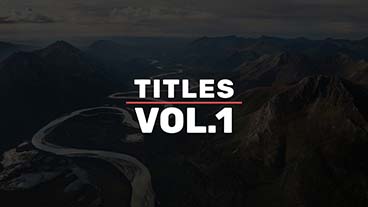
Titles Vol.1
Twelve clean, typography-first title animations with no gimmicks to hide behind. This is usually the first template we point new customers toward - it teaches good pacing without asking you to touch a single keyframe.
$24.95View Template
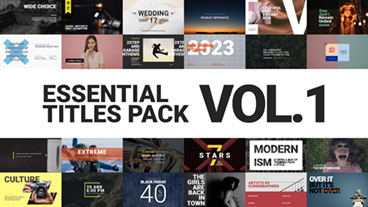
Essential Titles Pack Vol.1
55+ animated scenes in a single file. If you publish weekly and need a deep well of title styles you won't repeat for months, this is the one that earns its price back fastest.
$39.95View Template
Best Free Starting Points
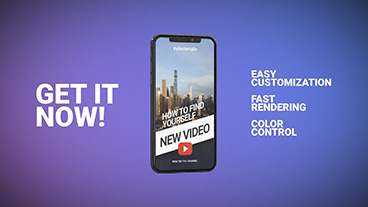
Instagram Story
One media slot, five text placeholders, Full HD, Vegas Pro 14 and up - proof a template doesn't need forty placeholders to look considered. A genuinely useful free download, not a stripped-down teaser.
FREEView Template
Essential Typography Library
A grab-bag of title styles for editors who just want something better than the stock Vegas Pro text presets. Also a good way to confirm a template's project structure suits your machine before buying anything bigger.
FREEView Template
Best for Photo & Memory Slideshows

Memory Photo Slideshow
Built for weddings, anniversaries, and in-memoriam edits, with deliberately unhurried pacing. Rushing this kind of content is the single most common mistake we see editors make with slideshow templates.
$24.95View Template

Gallery of Memories
29 placeholders arranged so the composition never looks sparse with a handful of photos, or cramped with a full set - one of the more flexible slideshow structures in the catalogue.
$24.95View Template
Best for Corporate & Business Video

Minimal Promo
Flat motion design aimed at B2B video and corporate decks - no stock skyline footage or clichéd handshake shots baked in, just structure you fill with your own message.
$29.95View Template

Corporate Promo
A faster, punchier alternative to Minimal Promo for teams that need something today rather than something considered. Simple enough to hand off to a junior editor without a briefing.
$19.95View Template
Best for Sports & Action Content
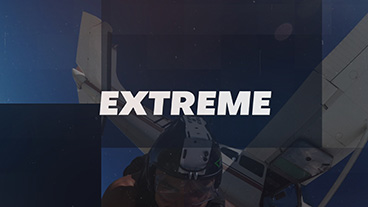
Extreme Sport Promo
Stat call-outs and bold type built for highlight reels. It uses fast cuts on purpose, which means it rewards footage that was actually shot with that pace in mind - not slow B-roll forced into a fast template.
$19.95View Template

Workout Sports
The gym-and-fitness equivalent of the above: high-energy pacing that reads as broadcast-ready without needing a full VFX pass to get there.
$19.95View Template
Prefer to see a template in motion before deciding? Our free Vegas Pro templates playlist shows every free file in the catalogue running in the actual timeline.
What You Actually Get With a Native Vegas Pro Template
The real value of a Vegas Pro template is not the thumbnail. It is the hour you do not spend guessing where the animation is hidden, the missing plugin you do not have to chase, and the client revision you can finish by changing three text events instead of rebuilding a sequence. A native template keeps the work inside the editor you already know: tracks stay editable, placeholders stay visible, and timing changes happen on the timeline instead of inside a separate motion-design environment.
That matters most when the project is under pressure. A title pack for weekly videos, a slideshow for a family event, a corporate promo due tomorrow morning - these are not abstract design exercises. They are jobs with deadlines. The template should give you a finished structure and still leave enough room for your footage, your typography, your pacing, and your client notes.
Native Vegas Pro Project
- Editable tracks, events, titles, and placeholders
- Timing changes happen directly on the Vegas Pro timeline
- Version range and plugin requirements are visible before download
- Designed for real project delivery, not just a preview render
Generic Template Adaptation
- Animation may need to be rebuilt for the Vegas workflow
- Text and media replacement can be less predictable
- Compatibility details are often discovered too late
- Pretty previews do not always translate into editable timelines
How to Install a Vegas Pro Template
Short version: download the .veg project file, open it directly in Vegas Pro, replace the placeholder media and text, and render. For the full walkthrough - including font handling, missing-media relinking, and export settings by platform - see our complete guide to installing and using Vegas Pro templates.
FAQ
Are templates created in older versions like Vegas Pro 11 or 15 still compatible with the newest Vegas Pro releases, for example, Vegas Pro 2026?
In most cases, yes. Vegas Pro's project format has maintained excellent backward compatibility for years. The main exception is if a template relies on deprecated third-party plugins or outdated legacy effects. Because of this, verifying a template against the latest software version is always safer than assuming it will work flawlessly. Always check the required compatible versions before purchasing.
Do Vegas Pro templates need extra plugins to work?
Well-built ones don't. A template that quietly depends on a third-party OFX plugin you don't own will show broken or missing effects the moment you open it. The product description should say clearly if any specific plugin is required.
What's the real difference between a Vegas Pro template and an After Effects template?
An After Effects template is a composition built around keyframed layers and expressions. A Vegas Pro template is a timeline-based project - tracks, events, and track motion keyframes - built for Vegas Pro's own editing model. They aren't interchangeable without a rebuild, which is why "works with every NLE" templates tend to be a compromise on both platforms rather than native to either.
Can I use a free Vegas Pro template in a monetized YouTube video or client project?
Check the specific licence, since terms vary by creator. Free alestemple.net templates are licensed for personal and commercial use once downloaded, monetized content included - what's restricted is reselling or redistributing the project file itself as your own template.
Why do Vegas Pro template prices range from free to around $39.95?
Price generally tracks the amount of original animation work inside the file. A single-scene title costs less to produce than a 55-scene typography pack tested across a dozen use cases. Free templates typically serve as a lighter entry point, or a way to confirm compatibility before buying something larger.
Why choose a native Vegas Pro template instead of a generic video template?
A native Vegas Pro template opens as a real project file, with editable tracks, events, text layers, media placeholders, timing, and render behaviour designed around Vegas Pro. A generic template may still look good in a preview, but if the structure was not built for the Vegas timeline, you can lose time rebuilding the edit before the creative work even starts.
The Takeaway
The best Vegas Pro template is the one that disappears into your workflow. It opens cleanly, shows you where your footage and text belong, gives you enough structure to move fast, and stays editable when the project changes. That is the standard we care about at alestemple.net: not the largest possible catalogue, but project files that feel like they were made by people who actually edit in Vegas Pro.
Ready to look through the full catalogue? Browse all Vegas Pro templates by category, or pair one with a native Vegas Pro OFX plugin for effects the timeline doesn't include out of the box.